Office 2013 ( and also Office 365) were released on Jan 29th with much pomp and galore.
TheProfessional version of Office 2013costs around $400 without discount.
The trial software can be directly downloaded from theTechnetwebsite.
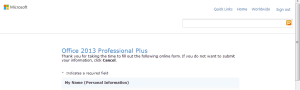
The free version contains all the features of the paid version.
What are the HardWare Requirements ?
What are the Software Requirements ?
As easy as it gets, just visit the earlier link for this trial download.
punch the Get Started button.
This will take you to theMicrosoft accountpage.
(Its also called the Live Id earlier).
These are mandatory fields.
After filling, click onContinuebutton at the bottom.
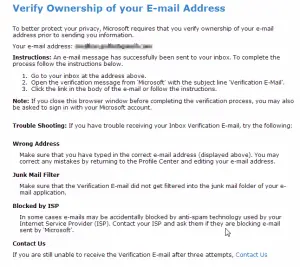
Note : Sometimes you are required to verify your ownership of your email address.
The instructions are displayed on the next screen sometimes.
This generally occurs if you change your email address in the previous form which is auto-populated.
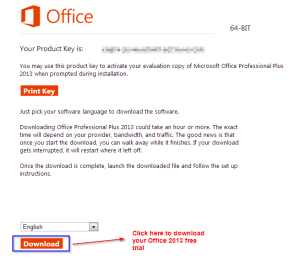
This will take you to the next screen which will display yourProduct key.
Next select your language on the same screen.
After selecting, click theDownloadbutton.
It can take about 1 hour depending on your internet connection.
The file size is approximately 800 MB.
The software comes in the form of a ISO file.
So you could burn this file to a DVD or USB.
How To Extend the 60 Day Evaluation to 180 Days?
But what will you do when the trial period is over.
You definitely need to buy the software, as different functions in different applications will stop working.
To rearm Office 2013 only takes a few steps.
Firstly, visit the following folder.
A command prompt will open up.
But there is another method which may require you to download a program.
Initially you’re gonna wanna sign up for the trial as mentioned before.
So you get another extra free 30 days of trial.
Like this you’re able to extend it 5 times.
